Mstudio · Extension 01 · V1.0

MSFX

Sound effects for Premiere Pro & After Effects, built like a tube amp

Warning: MSFX runs on hot tubes and good taste. Prolonged use may cause sudden sound design, tighter edits and clients asking who did the audio. Drag, drop, done. No real cables needed in Premiere Pro.

100% FREE $0 · No subscription
PrAeBuilt for Premiere Pro & After Effects
Free on GitHub Windows & macOS
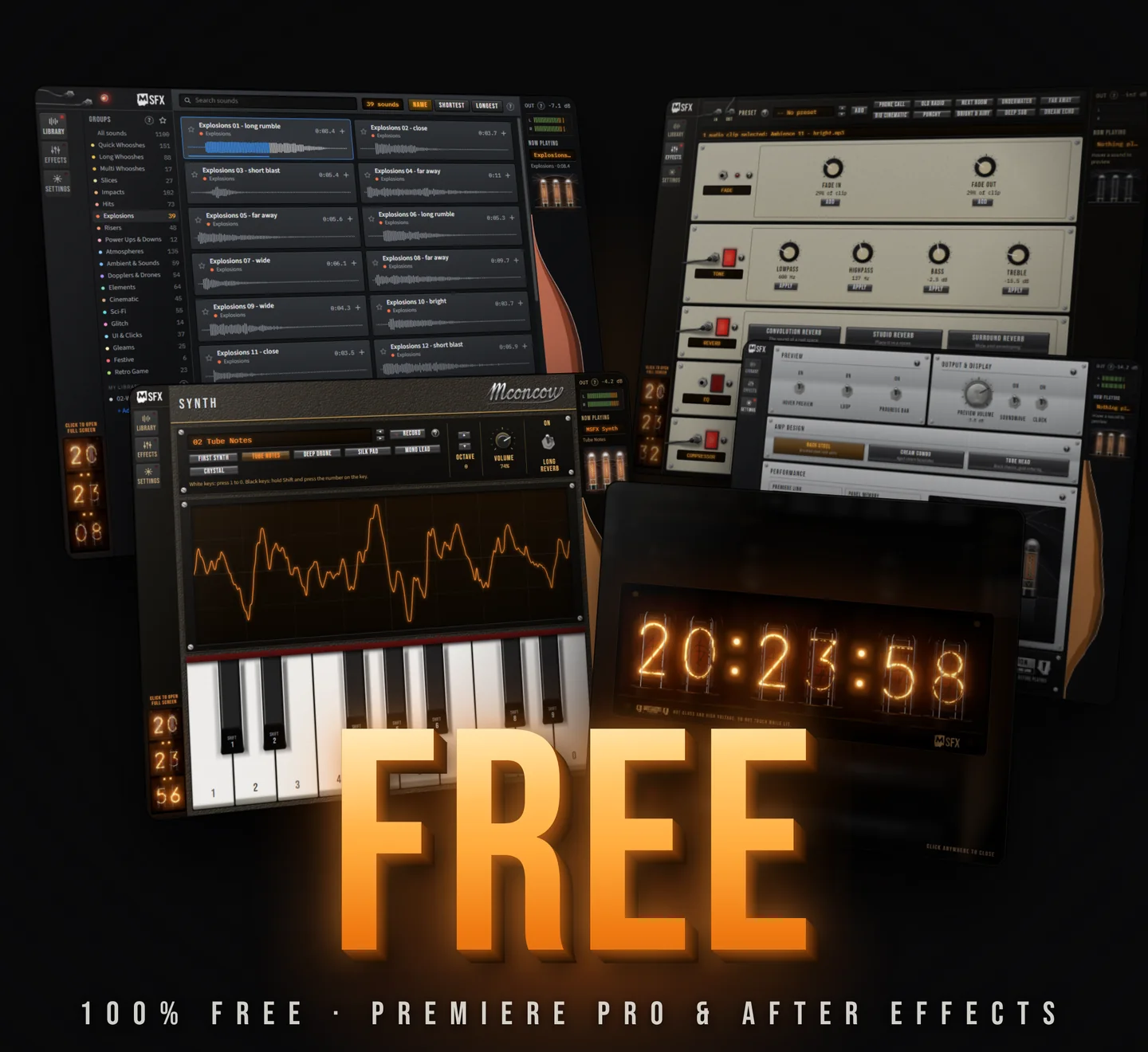
MSFX windows stacked in perspective (Library, Effects, Settings, Synth and the Nixie clock) with a big 3D FREE. 100% free for Premiere Pro and After Effects
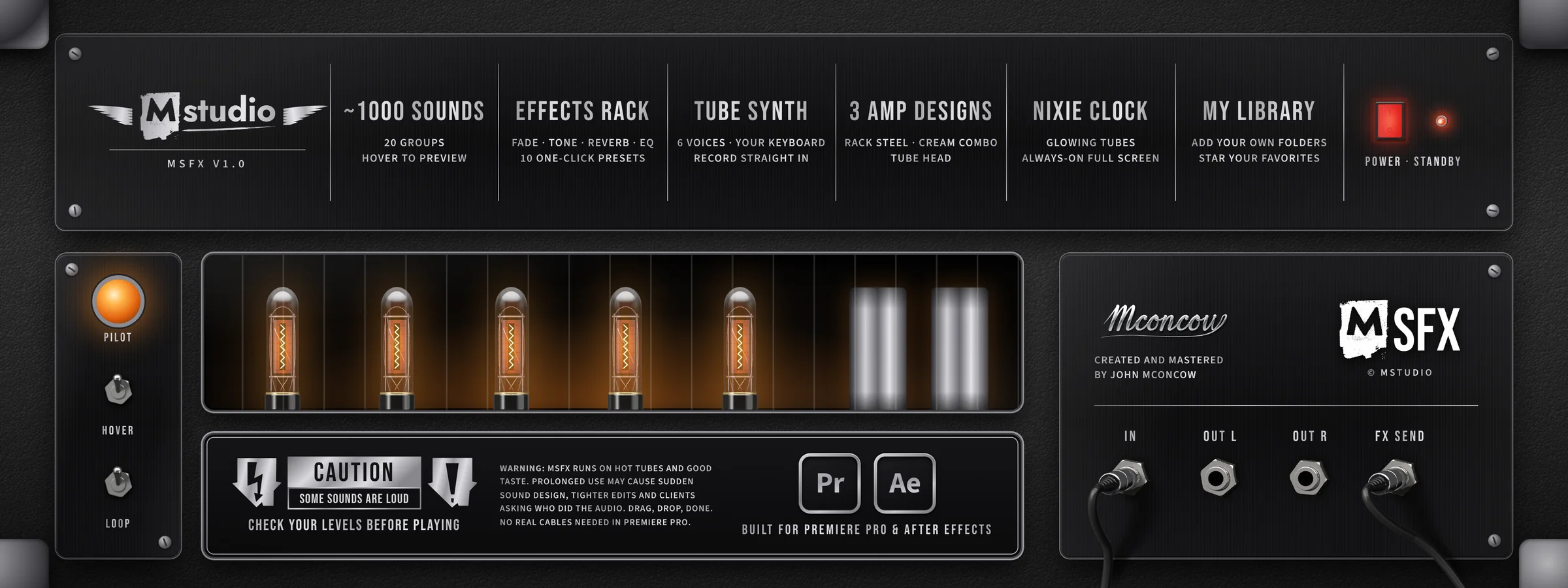
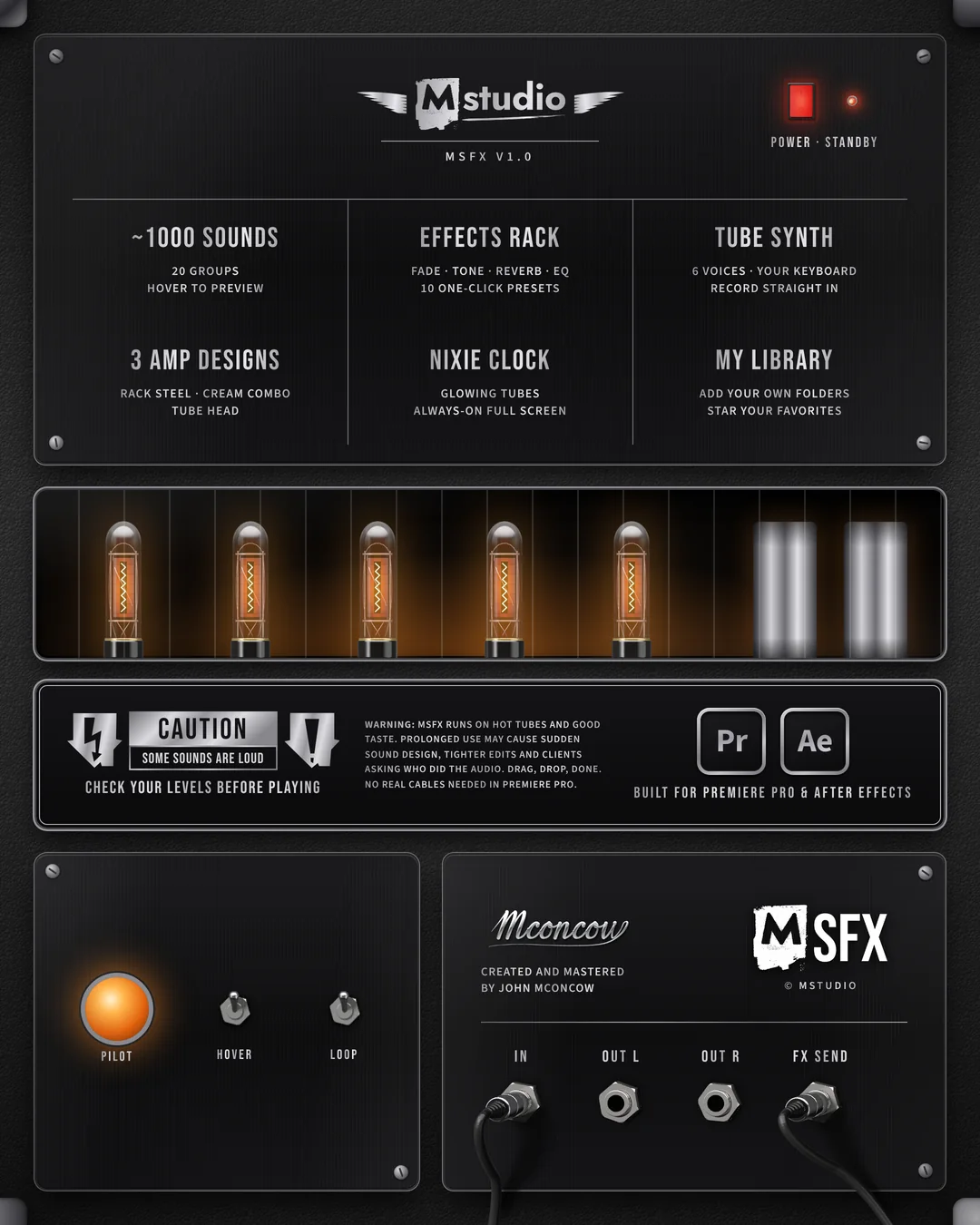
MSFX back panel: ~1000 sounds, effects rack, tube synth, three amp designs, Nixie clock and My Library. Built for Premiere Pro and After Effects MSFX back panel: ~1000 sounds, effects rack, tube synth, three amp designs, Nixie clock and My Library. Built for Premiere Pro and After Effects
The spec sheet, printed where an amp keeps it: on the back
Inside the panel

Every window, explained

MSFX has three pages in its left rail: Library, Effects and Settings. The synth and the full-screen clock open from inside them. Here's what each one does.

View in
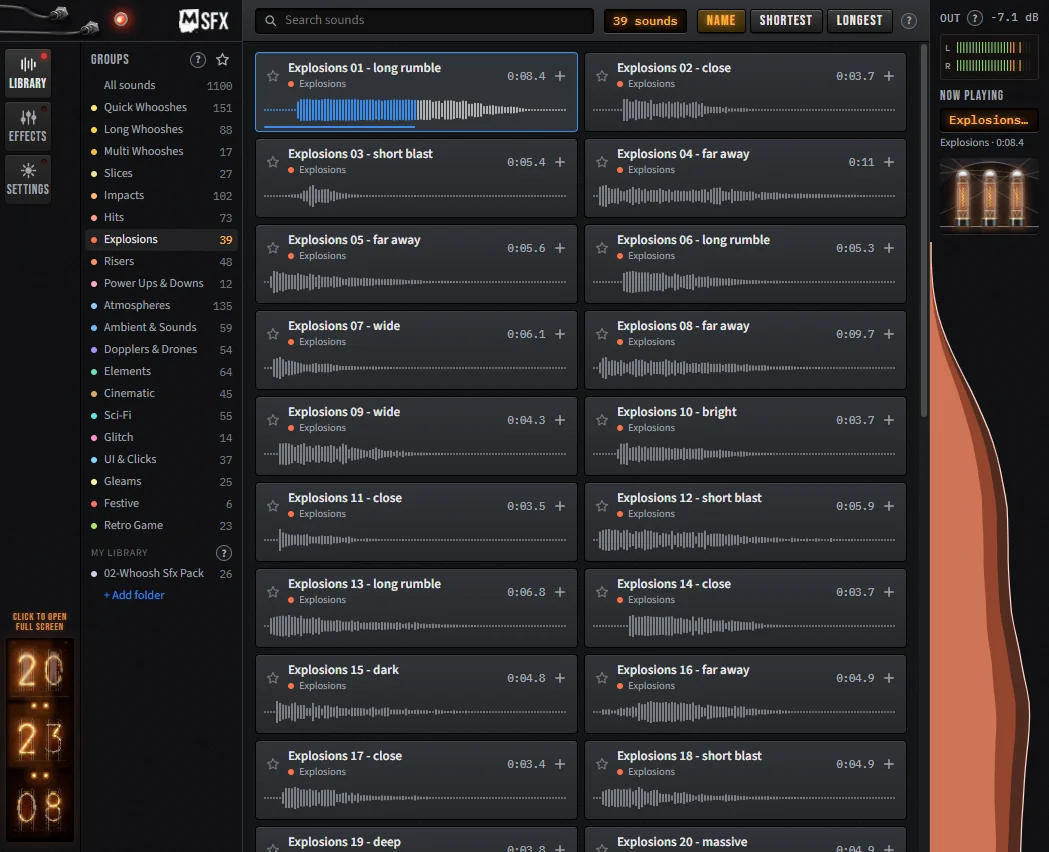
MSFX Library page with groups, sound tiles and the OUT meter
01 · Library

~1000 sounds, a hover away

The Library holds ~1000 sound effects in 20 groups, from Quick Whooshes and Impacts to Risers, Glitch, UI & Clicks and Retro Game.

Hover a sound to preview it. Hover its waveform to see a position line, then click or drag to skip through. Click + or anywhere above the wave to add it at the playhead, on the first free audio track from A2 up. Search by name or group (press / to jump to search) and sort by name, shortest or longest.

  • GroupsPick a group to see only its sounds. The star shows only your favorites inside that group.
  • My Library+ Add folder turns any folder of your own sounds into a group. Your files stay where they are.
  • OUT meterA stereo L/R meter with an animated soundwave under it that follows the preview. It never scrolls away.
Why it helps

You audition sounds by ear in a second, and they land on the right track without touching the timeline. A1 stays free for dialogue. If no sequence is open, MSFX opens the newest one or makes a 1080p 24 fps sequence for you.
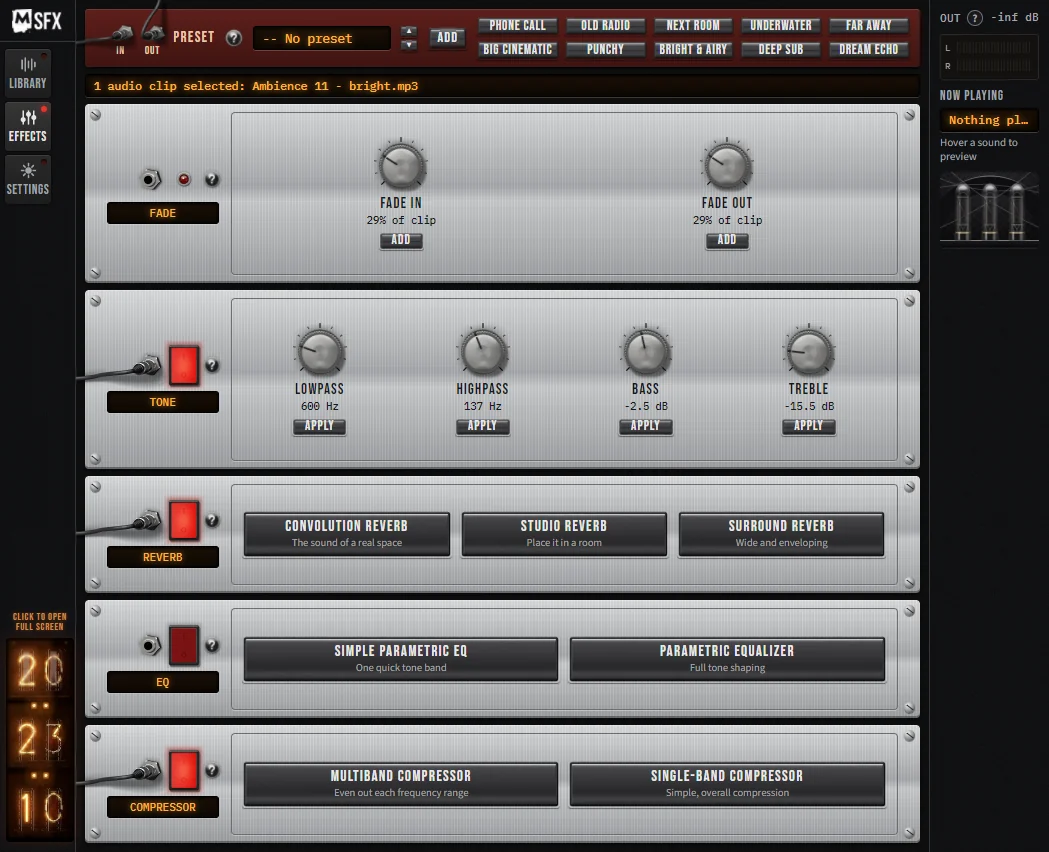
MSFX Effects page: preset bar and rack units for Fade, Tone, Reverb, EQ and Compressor
02 · Effects

An effects rack for your clips

Select audio clips in your timeline, then shape them from MSFX with presets, knobs and one-click effects.

Presets stack several effects in one click. Browse them with the arrows, then press Add. Hover a preset to see what it does:

Phone Call Old Radio Next Room Underwater Far Away Big Cinematic Punchy Bright & Airy Deep Sub Dream Echo
  • FadeFade in and out as a percentage of the clip, added as audio transitions so Ctrl+Z undoes them.
  • ToneLowpass, Highpass, Bass and Treble knobs. Drag or scroll, double-click to reset, then Apply.
  • ReverbConvolution (a real space), Studio (a room) or Surround (wide and enveloping).
  • EQSimple Parametric EQ for one quick band, or Parametric Equalizer for full tone shaping.
  • CompressorMultiband evens out each frequency range. Single-band compresses the whole sound.
Why it helps

No digging through the Effects panel. The red switch on each rack unit lights when the selected clip has one of its effects; click it to remove the last one added. Fine-tune anything later in Effect Controls.

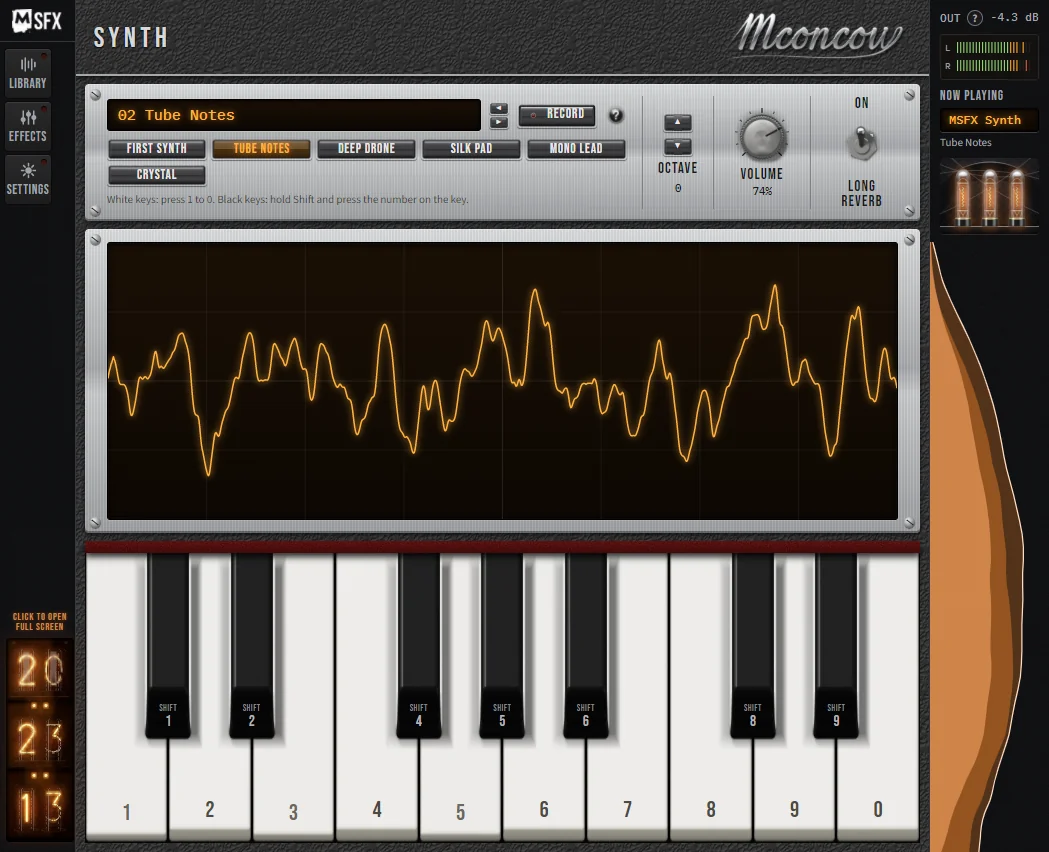
MSFX Synth: tone buttons, octave, volume, long reverb, waveform display and keyboard
03 · Synth

A tube synth you play from your keyboard

Click the MSFX logo, or the Mstudio logo in Settings, and the panel turns into a synth. Click the MSFX logo again to go back.

Keys 1 to 0 play the white keys, and Shift plus a number plays the black keys. The left and right arrows change the tone, up and down change the octave, and Long reverb lets notes ring after you let go.

First SynthTube NotesDeep Drone Silk PadMono LeadCrystal
Record straight in

Press Record and MSFX adds a new audio track and captures what you play, in time. Press it again and the take appears on that track from where the playhead was. Takes are also saved in Documents, in MSFX Recordings.

Live · your local timeRendered from the MSFX tubes
04 · Clock

A Nixie clock that never sleeps

A stacked 24-hour Nixie tube clock sits at the bottom of the left rail, glowing while you work.

Click it for the full-screen clock over the blurred panel. Click anywhere or press Esc to close it. Prefer a calmer panel? Settings has switches to turn off the clock and the soundwave.

Why it helps

Keep an eye on the time during long sessions without leaving Premiere. The clock you see here is built from the same tube renders MSFX uses.

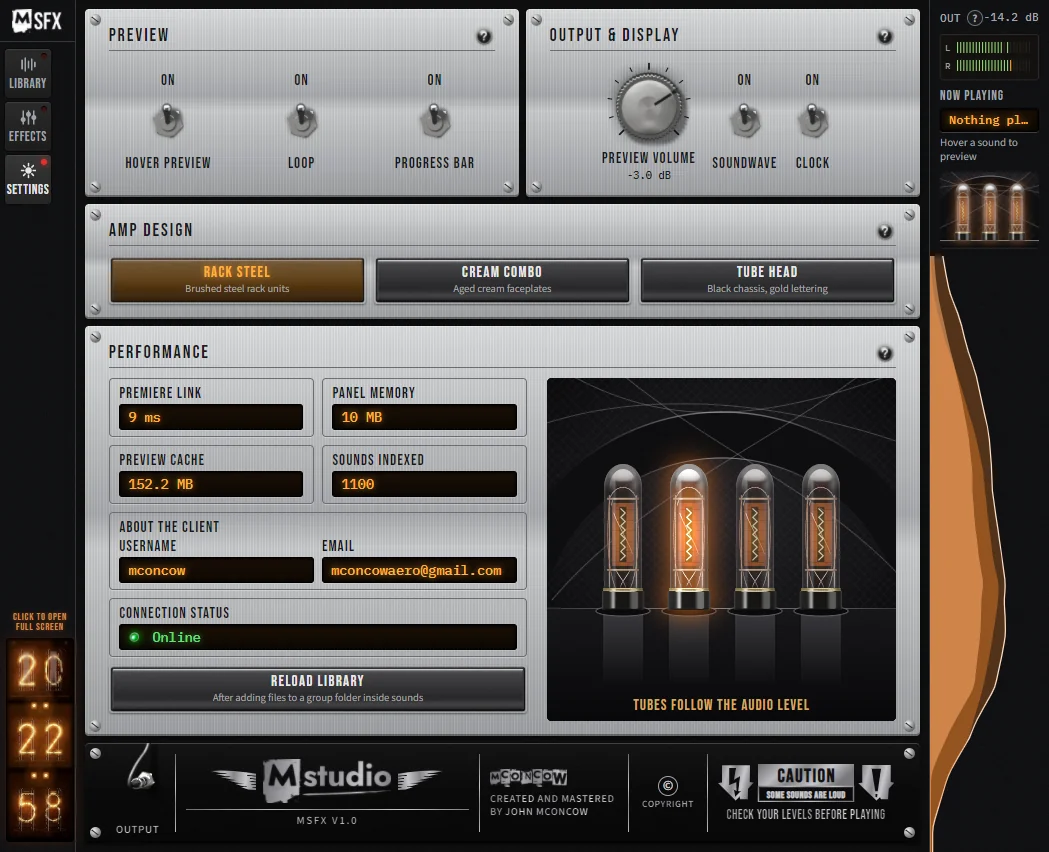
MSFX Settings: preview switches, preview volume, amp design, performance panel and tubes
05 · Settings

Three amp designs, one sound

Change the look of the whole panel. Your sounds and settings stay the same, and MSFX remembers your choice. Try it with the switch above.

  • Rack SteelBrushed steel rack units. The default.
  • Cream ComboAged cream faceplates.
  • Tube HeadBlack chassis, gold lettering.

Settings also holds Hover preview, Loop and Progress bar switches, a Preview volume knob that only affects the panel, and a Performance panel with Premiere link speed, memory, sounds indexed and Reload library. A connection light shows green when MSFX is online. Hover a tube to light it up and hear its sound.

Why it helps

Set the panel up the way you work: quiet previews, looping auditions, or a look that matches your desk.

Also inside

Built-in help

Small ? buttons around the panel open a tiny window that explains that part of MSFX.

Tube sounds

Hover a tube in Settings to hear its sound. It fades out when you leave, and follows Hover preview and Preview volume.

Dock it anywhere

Put MSFX wherever it suits your workspace in Premiere Pro or After Effects. It stays out of your way.

Up and running in minutes

Install MSFX

1

Download for free

Click Download and get MSFX for Windows or macOS from GitHub. No price, no subscription.

2

Install it

Close Premiere Pro and After Effects, then follow the install steps included in the download.

3

Open the panel

Go to Window › Extensions › MSFX and dock it anywhere in your workspace.

Works inPremiere Pro & After Effects
SystemWindows & macOS
VersionMSFX V1.0
PriceFree

Questions

Is MSFX really free?

Yes. MSFX is 100% free. There's no price, no subscription and no payment details. Click Download, get it from GitHub and start using it.

Which apps does it work with?

MSFX is an extension for both Adobe Premiere Pro and Adobe After Effects.

Does it run on Mac?

Yes. MSFX is available for Windows and macOS.

Where does the panel go?

Anywhere you like. Dock MSFX wherever it fits your workspace in Premiere Pro or After Effects.

Power · On

Plug in. Pay nothing.

Get the full MSFX panel, every sound and every feature, completely free. Your tubes are warmed up.

100% freeNo subscriptionWindows & macOS
PrAeBuilt for Premiere Pro & After Effects